
How Discovery works
Multify watches company signals, filters by ICP, resolves the right people, and passes the account into execution with context intact.
Surface ICP-fit accounts while the reason to reach out is still live
Discovery watches public company movement, scores it against your ICP, resolves the right people, and hands Outbound a queue your team can work instead of another research backlog.
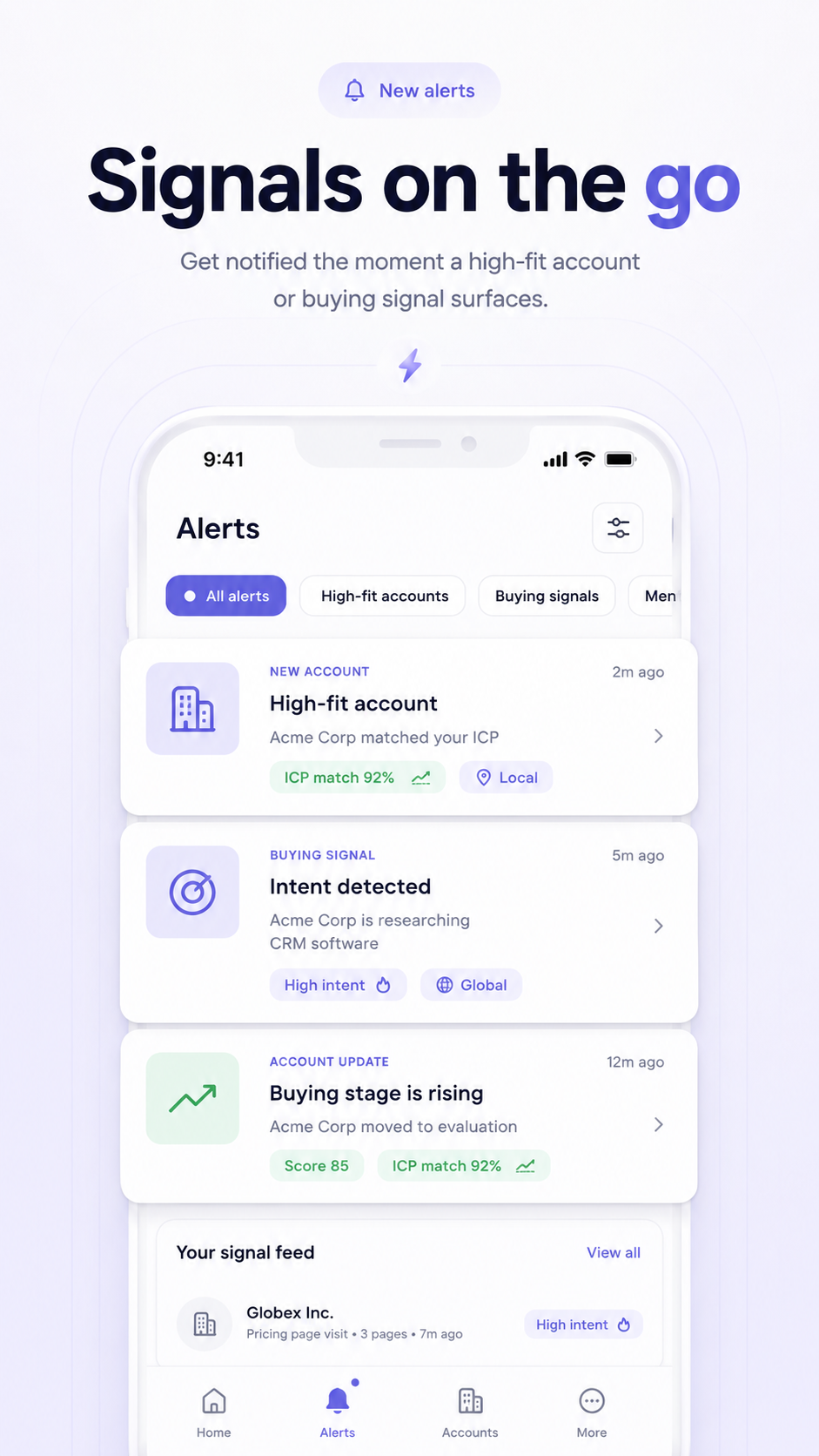
Signals arrive with context
See the company move, the reason it matters, and the account summary in one place.

Decision-makers are attached
Open the account and get the people, roles, and first angle without re-researching the company.
Ready for outbound handoff
Approve the account, pass it into sequence, and keep the context intact across the motion.


Net-new accounts, not another export
Discovery keeps the queue fresh with public movement instead of recycling static lists.
Reason-to-reach travels with the account
Every account arrives with the trigger, ICP fit, and the first angle your team can use.
Built for pipeline, not browsing
The output is an execution-ready queue, not a pile of tabs for reps to sort later.
Discovery turns public movement into an outbound-ready queue.
Multify watches company signals, filters by ICP, resolves the right people, and passes the account into execution with context intact.
We watch public company movement
Company sites, hiring activity, leadership changes, and other public web signals tell Multify when an account is worth a closer look.
We score the account against your ICP
Accounts are filtered for fit, enriched with context, and prioritized by how actionable the signal is right now.
We attach the people and the first angle
Your team gets the account, the decision-makers, and the reason to reach out before the queue hits Outbound.
Discovery builds net-new pipeline. Outbound activates your existing base.
Use Discovery when you need fresh ICP-fit accounts. Use Outbound when you already have CRM contacts, lists, or dormant pipeline to work. Both run in the same system without rebuilding context.